Estimated reading time: 7 minutes
GTA VI is currently scheduled to launch on November 19, 2026, for PlayStation 5 and Xbox Series X|S, with digital access unlocking at midnight local time. Pre-loading has already begun. If you want to be ready, the useful jobs now are checking your purchase, making room on your console and understanding what your chosen edition actually includes.
Information checked November 11, 2026. This is a researched pre-release guide, not a hands-on review.
GTA VI release and pre-load times: use the updated dates
Rockstar’s current GTA VI site still lists November 19. Take-Two’s November 9 results announcement also describes launch as ten days away. So “almost here” is supported by the current announcements—not just an old countdown.
| Platform | Digital pre-load began | Digital release |
|---|---|---|
| PS5 | November 10, 2026, midnight local time | November 19, 2026, midnight local time |
| Xbox Series X|S | November 10, 2026, 00:00 GMT | November 19, 2026, midnight local time |
These are the times in Rockstar’s regional release support page, updated November 3. The Xbox pre-load time above is GMT; convert it to your own timezone. Midnight means the start of November 19, not the end of that day. Check your own account’s store countdown rather than using another country’s timer.
There is an easy source of confusion: June’s pre-order announcement said November 12 for digital pre-loading. The newer Rockstar support page and PlayStation’s current instructions say November 10. The release date itself was moved to November 19 in Take-Two’s November 2025 announcement; the current sources above continue to support that date.
Before you buy: console, edition and the box-without-a-disc catch

The announced launch platforms are PS5 and Xbox Series X|S. PlayStation explicitly says the game is not playable on PS4, and Xbox’s official page lists Series X|S. The official launch pages checked for this guide do not announce a PC release date or PC system requirements. If PC is your only platform, wait for a Rockstar announcement before paying for a supposed PC key or buying hardware around unofficial specifications.
A retail box does not mean you are buying a disc. PlayStation’s GTA VI support page says its Physical (Code-In-Box) version contains a download code and no disc. Check the exact retailer listing, platform and redemption region before ordering; do not buy that version expecting disc lending or a disc-based installation.
| Edition | Announced dollar price | What you are choosing |
|---|---|---|
| Standard | $79.99 | The base GTA VI single-player game |
| Ultimate | $99.99 | The game plus exclusive vehicles, weapons, apparel and additional activities/content across Jason and Lucia’s story |
Those are the dollar prices in Rockstar’s June announcement, not a verified checkout quote for your country. Confirm the local price, currency and applicable taxes on your account’s store before paying. The official Standard listing and Ultimate listing let you compare the actual inclusions.
Our buying advice: start with Standard unless the named extras are something you actually want. Ultimate is not merely a costume bundle—the current listing also describes a classic-car collection activity and exclusive destinations—but we have not tested their quality or value. PlayStation says Standard owners, including its code-in-box version, can upgrade through PlayStation Store. Check the upgrade price before assuming a later upgrade costs the same as buying Ultimate outright. Neither edition should be treated as an early-access purchase: Rockstar’s support page gives the same release time for both platforms.
Check the GTA+ offer before you claim it

The current PlayStation listings offer the Vintage Vice City Pack and one month of GTA+ with eligible digital Standard or Ultimate purchases by November 19, 2026. The standalone Ultimate upgrade is excluded. The GTA+ month must be claimed by March 31, 2027, is tied to the purchasing account and is limited to one redemption per account.
The GTA+ subscription continues at the regular monthly price unless canceled. Read the renewal date during redemption and cancel before the next payment if you only want the included month. PlayStation’s game page lists age and country-store eligibility restrictions and explains the redemption steps. These are PlayStation terms; check the equivalent terms on Xbox rather than assuming they are identical.
GTA+ is not evidence that GTA VI launches with multiplayer. PlayStation describes GTA VI as a single-player experience; the pre-order announcement’s GTA+ promotion discusses GTA Online and the existing GTA+ games library. Do not buy a subscription on the assumption it unlocks GTA VI co-op or crossplay. No such feature is confirmed in the sources used here.
Get your download ready now
- Check the purchase account. Confirm the order succeeded and sign in with the account that bought the game or redeemed its code. For a missing or unreadable boxed code, PlayStation directs you to the retailer.
- Make room using the platform’s current requirement. PlayStation says to clear a minimum of 212GB on PS5. This is its preparation requirement, not a promise about the final patched footprint or the Xbox download size. On Xbox, use the current console/store install prompt; we have not verified an Xbox storage figure.
- Start the pre-load and check its progress. On PS5, inspect Downloads/Uploads and Settings > Storage. PlayStation’s support guide explains automatic updates and staying connected in Rest Mode. Check the download actually runs rather than assuming your order started it.
- Update the console and budget for the launch connection. A completed pre-load is not early access. Check for updates before your planned session; do not assume there will be no additional download.
If a PS5 download will not start, begin with the checks in Sony’s troubleshooting guide: correct account, internet connection, available storage and current system software. Use platform support for account, payment or download-code problems, and Rockstar Support for game-specific issues. Keep your order receipt and never post a redemption code publicly.
What you are getting—and what still needs evidence

The spoiler-light premise is straightforward: Jason and Lucia are caught in a criminal conspiracy across Leonida, including Vice City. That is Rockstar’s published setup, not a verdict on how the missions or open world play. PlayStation’s current page lists one player and offline play, but do not confuse that with a disc installation or a guarantee that no internet is needed for downloading and setup.
We are not recommending a console upgrade based on an untested frame-rate target. This guide has no measured performance results, PC specifications or verified Xbox install-size figure. It also makes no promise of a GTA VI multiplayer launch, crossplay or subscription-catalog access. Those buying decisions need their own explicit official announcements, not inferences from GTA V or generic storefront wording.
Keep your launch plans away from fake downloads
Start from Rockstar’s official GTA VI page or your console’s own store, and check the publisher, platform, edition and account region before paying. Treat “PC beta,” mobile installer, survey-unlock and paid early-access offers as unverified unless Rockstar explicitly links them. Never hand a seller your platform password or two-factor authentication code.
The practical priority is simple: buy only what the listing actually promises, finish the supported pre-load and use your own regional release timer. Everything else can wait for evidence. For more of our coverage, visit the WePlayGames GTA VI archive.
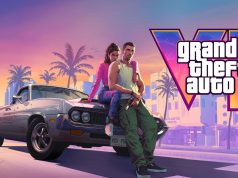
Featured artwork: Rockstar Games, “Jason and Lucia 01.” Official artwork source.